

Printers and photocopiers are often treated as completely different pieces of office equipment, but that distinction is much less clear than it once was. Modern devices can combine printing, copying, and scanning in a single machine, which is why terms such as printer, photocopier, MFP, and MFD are often used interchangeably.
For a business, the important question is not simply what the machine is called. It is about whether the equipment can comfortably handle the number of users, document volume, paper sizes, and the print, copy, and scan tasks required each day.
What Is The Difference Between A Printer And A Photocopier?
Traditionally, the difference is straightforward. A printer takes a digital document from a computer or another device and produces a paper copy, while a photocopier takes an existing paper document and duplicates it.
Modern office equipment has blurred that distinction considerably. Many office printers can now copy and scan, while modern photocopiers normally connect to business networks and print digital documents as well as copy paper originals.
The practical difference is therefore increasingly about capacity and intended use. Printer-style equipment may suit straightforward office printing and smaller teams, while larger multifunction photocopiers are often designed for shared print, copy, and scan workloads, higher paper capacities, and more demanding document handling.
| Requirement | Office Printer | Office Photocopier / MFP |
| Print Digital Documents | Yes | Yes |
| Copy Paper Documents | Multifunction models | Yes |
| Scan Documents | Multifunction models | Usually |
| A4 Printing | Yes | Yes |
| A3 Printing | Available on some models | Common on larger models |
| Shared Office Use | Depends on the model | Often designed for shared use |
| Paper Capacity | Varies | Often higher |
| Large Scan Jobs | Depends on the model | Often better equipped |
| Finishing Features | Usually more limited | More commonly available |
| Physical Size | Often compact | Desktop to floor-standing |
These are general differences rather than fixed rules. A high-capacity multifunction printer can offer many of the same functions as equipment described as a photocopier, which is why looking at the specification matters more than relying on the product name alone.
What Do We Mean By An Office Printer?
An office printer can range from a compact desktop device used by one or two people through to a larger networked machine shared by an entire department.
Some are designed purely for printing, while multifunction printers combine printing with copying and scanning in a single device. Colour and mono options are available, and businesses can choose equipment designed around different levels of daily use.
A printer may be particularly suitable where most documents already exist digitally, and the main task is putting them onto paper. For example, an office that regularly produces emails, reports, invoices, correspondence, and other A4 documents may not need the capacity or additional document-handling features of a larger photocopier.
This does not mean a printer is automatically limited to small workloads. The office printer market covers a broad range of equipment, so the real question is whether the particular machine is designed for the way your team intends to use it.
What Do We Mean By An Office Photocopier?
The traditional image of a photocopier as a machine that simply reproduces pieces of paper is increasingly outdated.
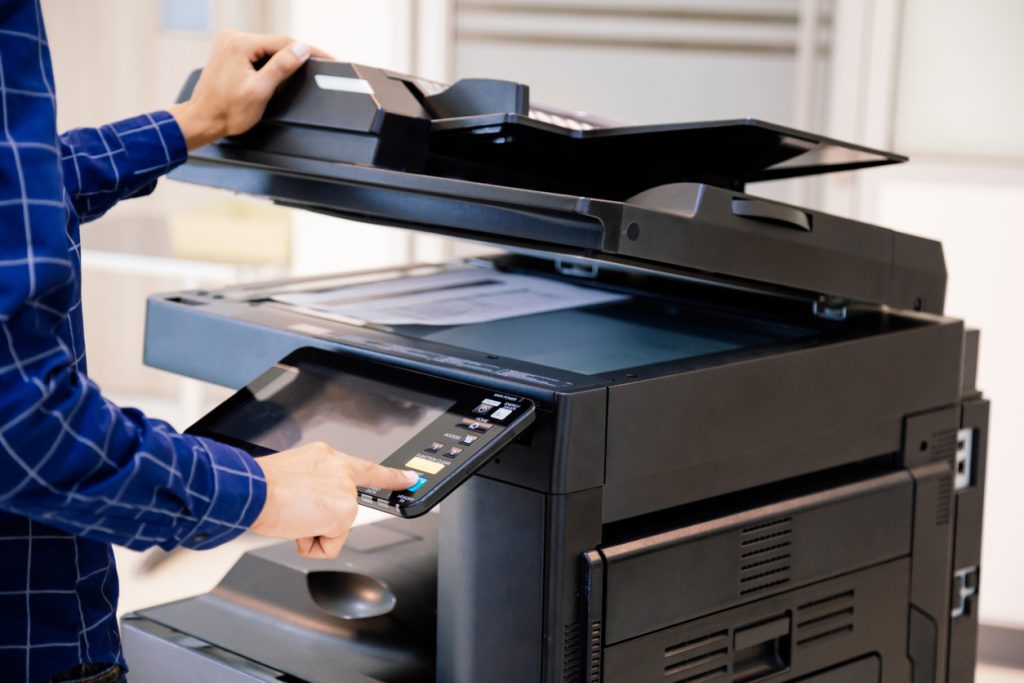
A modern business photocopier is usually a multifunction device capable of printing, copying, and scanning. Larger machines may also provide A3 printing, higher paper capacity, automatic document feeding and additional document-finishing options.
These features can make photocopier-style equipment particularly useful when a single machine is shared by several people or departments.
For example, an administration team might regularly scan multi-page paperwork, copy document packs and print reports from the same machine. A larger multifunction photocopier can be designed to handle that combination of tasks without requiring several separate devices.
The word “photocopier” therefore often describes the role the machine plays in the office rather than a device that can only make copies.
What Is An MFP Or MFD?
You may also come across the terms MFP and MFD when comparing office equipment.
MFP normally means multifunction printer, while MFD means multifunction device. Both terms are commonly used for equipment that combines several document functions within one machine.
This is why the same device could reasonably be described as a printer, photocopier or MFP depending on who is talking about it.
Rather than getting caught up in the terminology, look at what the machine actually does. If your business needs printing, copying, scanning and network connectivity, the relevant question is whether the device can handle those tasks at the volume your office requires.
When Is An Office Printer Likely To Be Enough?
A printer or multifunction printer can be a good fit when most office documents originate digitally, and printing remains the primary requirement.
This might suit a smaller office producing mostly A4 paperwork, or a department that needs convenient access to a machine without advanced paper-handling or finishing functions.
Printer-style equipment may be worth considering when:
- Most documents are printed from computers or laptops.
- A4 is the main paper size.
- Copying and scanning are required but not heavily used.
- Office space is limited.
- The number of users is relatively small.
- Advanced finishing functions are unnecessary.
A multifunction printer can still provide copying and scanning, so choosing a printer does not necessarily mean losing those capabilities. The difference often lies in the scale of the requirement rather than in the basic functions available.
If your team mainly prints everyday office documents and only occasionally scans or copies, a suitable business printer may provide everything you need without requiring a larger device.
When Does A Photocopier Make More Sense?
A photocopier or a larger multifunction device may be more appropriate when the machine is a central part of the office’s document workflow.
If several employees rely on a single shared device throughout the day, paper capacity, scanning capability, and the ability to handle larger workloads become more important.
Photocopier-style equipment may be worth considering where:
- Several people or departments share the machine.
- Copying and scanning are frequent tasks.
- A3 is regularly required.
- Employees process large multi-page documents.
- Higher paper capacity would reduce interruptions.
- Larger print jobs are common.
- Stapling or other finishing functions would save staff time.
The important distinction is not that a photocopier can do something a printer never can. It is that larger multifunction photocopiers are often designed to handle more demanding combinations of print, copy and scan activity.
Does The Number Of Users Make A Difference?
Yes. The number of people relying on a machine can be just as important as the total number of pages being produced.
Imagine two businesses that each produce a similar monthly print volume. In one office, three employees create a few larger jobs each week. In the other, 30 people continually send small print jobs, scan documents and make copies throughout the day.
The second office places very different demands on the machine.
A heavily shared device needs to handle print queues, simultaneous demand, and regular scanning without becoming a bottleneck. Larger paper trays can also reduce interruptions caused by refilling the machine.
A smaller team may not need the same capacity. In that situation, a compact business printer or multifunction printer may be more appropriate.
This is why choosing purely by monthly page volume can lead to the wrong equipment. The way those pages are produced matters too.
What About A3, Scanning And Document Handling?
Paper size and document workflow can quickly shift the decision towards a more capable multifunction machine.
A3 Printing
If your business regularly produces plans, diagrams, larger spreadsheets, educational material or marketing documents, A3 capability may be useful.
If almost everything is standard office paperwork, an A4 device may be sufficient and could take up less space.
There is little benefit in specifying A3 simply because it is available. It should solve a real workplace requirement.
Scanning
For some businesses, scanning is used as heavily as printing.
If employees regularly digitise contracts, invoices, forms, or large document packs, carefully assess the scanning capability. An automatic document feeder and double-sided scanning can make a noticeable difference when processing multi-page paperwork.
Scan-to-email or network-folder functions can also help move paper documents into digital workflows without adding unnecessary manual steps.

Paper Handling And Finishing
Larger shared devices can offer bigger paper trays, multiple paper sources and finishing functions such as stapling.
These features can be useful where departments repeatedly produce large reports or document packs. For an office printing ordinary correspondence, however, they may add little practical value.
The right approach is to select features around tasks your employees perform regularly rather than building the specification around functions that sound impressive.
Which Is Better For Different Types Of Office?
The easiest way to understand the difference is to look at how different workplaces use their equipment.
Small Office Producing Mainly A4 Documents
A compact office printer or multifunction printer may provide everything required.
If a few employees mainly print reports, correspondence and invoices, with occasional scanning or copying, there may be little reason to specify a large floor-standing photocopier.
Straightforward network connectivity, sensible paper capacity and reliable day-to-day performance could matter far more than additional finishing functions.
Busy Shared Administration Team
A larger multifunction device may make more sense where several people are printing, scanning and copying throughout the working day.
Higher paper capacity, efficient multi-page scanning and a machine designed for shared use can help prevent everyday document tasks from becoming a source of delays.
This is where photocopier-style equipment often starts to make more practical sense.
Accounts Or Legal Team
These departments may work heavily with invoices, contracts, statements and other text-based documents.
A multifunction device with strong scanning, duplex document handling and secure printing may therefore be more useful than equipment chosen primarily for colour or visual output.
The important factor is the workflow, not whether the machine is marketed as a printer or a photocopier.
Marketing Or Design Team
Colour output and larger paper sizes may become more important for teams producing proposals, presentations and other visual material.
If A3 documents are regularly required, a larger multifunction device could make more sense. If the team mainly produces A4 colour documents, a capable colour printer may be sufficient.
Business With Several Departments
Some businesses do not need to choose exclusively between printers and photocopiers.
A larger shared MFP could handle higher-volume printing, copying and scanning, while smaller printers provide convenient access for individual teams with simpler requirements.
When multiple devices are involved, our managed print services help businesses assess equipment requirements across the broader print environment rather than considering each machine individually.

Printer Or Photocopier: Which Is Right For Your Business?
For a smaller office where most documents start as digital files and the main requirement is A4 printing, a single-function printer or a multifunction printer may be enough.
If several employees share the same device and your workplace regularly copies, scans, or handles large documents, a photocopier-style multifunction device may provide the capacity and document-handling capabilities required.
An MFP sits between the terminology. It may be described as a printer while providing many of the functions people traditionally associate with a photocopier.
That means the best decision is usually based on users, volume, paper sizes and workflow, rather than deciding first that the business needs either a printer or a photocopier.
If the machine can comfortably handle the work your employees give it, the label on the specification sheet matters far less.
Does It Matter When You Lease A Printer?
The distinction becomes particularly relevant when businesses begin considering equipment leasing.
You do not need to know the exact make or model before making an enquiry. It is usually more useful to explain what the office needs the equipment to do.
That includes the number of users, approximate workload, A3 or A4 requirements, whether colour is needed, and how much copying and scanning occur.
Those details help determine whether a compact printer, a multifunction printer, or a larger photocopier-style device is more appropriate.
Our printer leasing service can provide business printing equipment to meet longer-term office requirements without requiring an outright equipment purchase.
If the requirement is specifically centred around higher-capacity photocopying and multifunction equipment, photocopier leasing may also be worth considering.
The important thing is not deciding which label sounds right before speaking to a supplier. It provides enough information to match suitable equipment to the way your business works.
Need Help Choosing Between a Printer and a Photocopier?
You do not need to understand every piece of printer terminology before choosing office equipment.
If you know roughly how many people will use the machine, what types of documents they produce, whether A3 or colour is needed and how frequently employees copy or scan, you already have the information needed to start narrowing down suitable options.
Nationwide Copiers can discuss those requirements and help identify equipment that fits your workplace, rather than expecting you to select from dozens of similar printer and photocopier specifications on your own.
Contact us today and tell us how your office works, and get help choosing the right equipment.